Network Woes: Slow speeds, weak signals, and instability with multiple devices
I have always had high standards for my home network. A few years ago, I was using an aging router that offered limited signal coverage and unstable connections, causing frequent lag during video conferences. At the time, I even considered switching internet service providers, as no matter which plan I upgraded to, the speeds remained disappointing.
My household of four frequently uses smartphones, tablets, and laptops simultaneously, alongside a smart TV and various smart home devices. Every morning, the kids attend online classes on their tablets, I hold video conferences in the living room, my wife plays music in the kitchen, and the smart TV runs automatic updates in the background. My old router clearly couldn’t handle this level of simultaneous device usage. While the signal in the living room was barely adequate, the bedrooms and study suffered from weak signals, slow page loading, and constant video buffering. Whenever the whole family was online at once, the router seemed to choke—speeds would drop drastically, and connections would sometimes even drop out entirely.
What worried me even more was the lack of robust security features on the old router; the kids were browsing freely, and our smart home devices posed potential security risks. After experimenting with router placement and channel settings, I realized the root cause was the router itself.
Why I Chose Netgear
After some research and recommendations from friends, I turned my attention to Netgear routers. Netgear’s Nighthawk series supports Wi-Fi 6, offering faster transmission speeds and lower latency—crucial for a multi-device household like mine. Additionally, Netgear’s Mesh system enables whole-home coverage, which is incredibly practical for our two-story layout.
What really appealed to me was the router’s compatibility with various smart home devices and the inclusion of “Armor” network security services. It offers protection against viruses and hacking attempts while also providing parental controls. This gave me greater peace of mind regarding my children’s online safety and the security of our smart home devices. Given these advantages, I didn’t hesitate to choose a Nighthawk router paired with a Mesh extender to create a stable, high-speed, and secure network environment for my entire home.
Installation Experience: Simple and Intuitive
When the router arrived, I expected a complicated setup process, but the actual experience pleasantly surprised me. After connecting the cables and power supply according to the manual, most of the setup could be completed via the official Netgear app. The app is very intuitive; I could adjust the Wi-Fi name, set passwords, view connected devices, and even update the firmware with a single tap. The entire installation process took less than half an hour—far easier than I had expected.
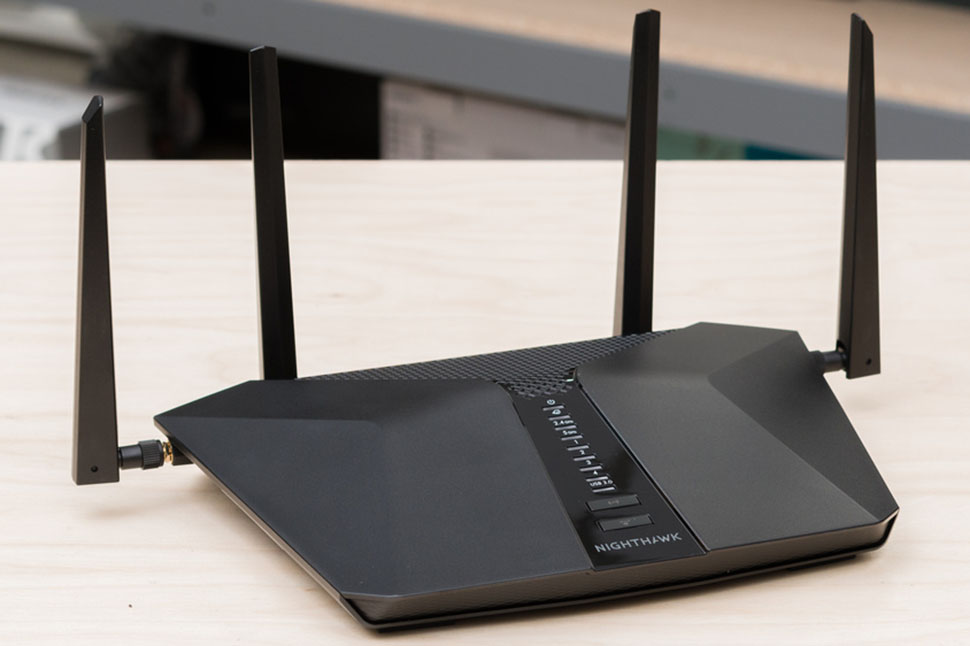
When setting up the Mesh extender, I placed it in the bedroom; once paired with the main router, the whole house formed a unified network. I had full signal strength in the bedroom, and speeds were more than double what they used to be. The frequent connection drops I used to experience in the bedroom vanished completely, and my smart home devices ran much more smoothly. This installation experience made me realize for the first time that upgrading a home network can actually be effortless and stress-free.
Real-world performance: Fast speeds, complete coverage, and stable connections
I noticed a significant improvement in network quality on the very first day after installation. Video conferences ran smoothly even when held simultaneously in the living room and study, and signals remained stable across the bedroom, study, kitchen, and balcony—meaning my child’s online classes were no longer interrupted by disconnections. Even with phones, tablets, smart TVs, and speakers all online at once, speeds remained steady. The Mesh system, in particular, eliminated signal dead zones; smart lights and cameras operated seamlessly, with no more disconnections or lag.
After enabling the Armor network security feature, I could check the security status of my devices at any time and manage my child’s online time and content access. I used to worry about my child encountering inappropriate content while browsing, but that concern is now completely gone. Even when guests use the Wi-Fi, the router automatically protects our devices from potential attacks, giving me greater peace of mind regarding our home network’s security.
Getting the most out of your Netgear router
I’ve also picked up a few pointers during use. It’s best to place the main router in a central location, away from thick walls or sources of electrical interference, to ensure more even signal coverage. The Mesh extender shouldn’t be placed too far from the main router or tucked away in a corner; proper placement maximizes network coverage. Managing the network via the official app allows you to monitor device connections, adjust access permissions, and update firmware, keeping the network stable and secure. Regularly checking Armor’s threat reports helps identify potential risks early, further enhancing your home network’s security.
I also discovered that enabling Wi-Fi 6 significantly improved speed and latency compared to before; the difference in user experience is particularly striking when multiple people are online simultaneously. By applying these simple tweaks, I’ve been able to unlock the full potential of the Netgear router, enjoying a smooth, stable, and secure network environment every day.
A Worthwhile Investment for Your Home Network
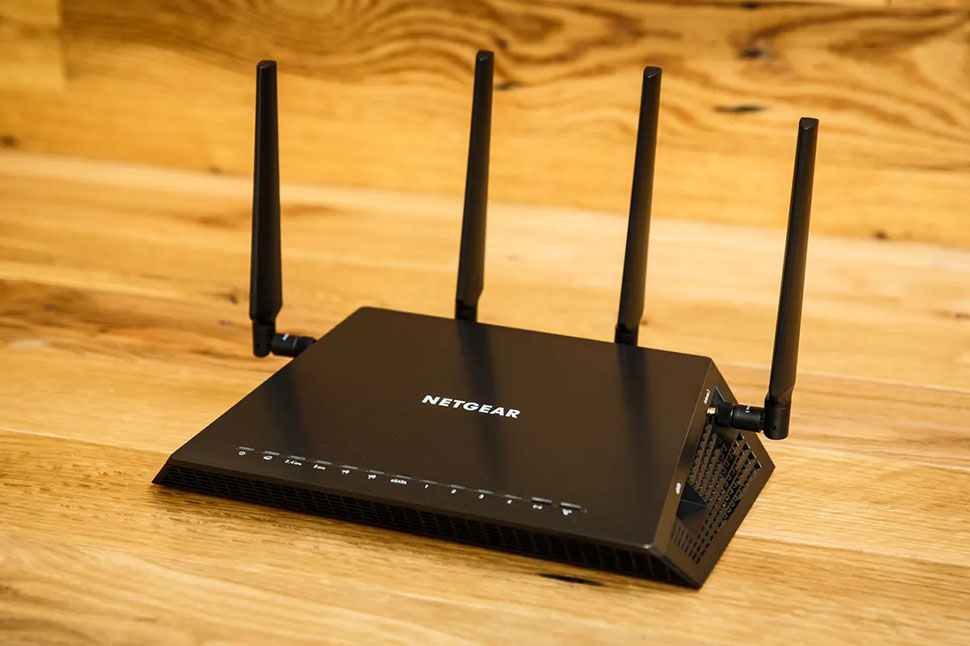
Looking back at my past network woes, I have to admit that upgrading to a Netgear router was one of the best investments I’ve made for my home network. Whether in terms of speed, coverage, or security, Netgear has allowed me to completely leave behind the frustrations caused by my old router. If you—like me—have multiple users and devices online at once, or simply want to enhance your home network security, a Netgear router is definitely worth considering.
Now, I enjoy a high-quality network experience every day. My children’s online classes no longer drop out, video conferences run seamlessly, and my smart home devices operate reliably. For me, Netgear is more than just a router brand; it is the key to elevating the quality of our digital home life.